
Introducing Workspaces: Your New Collaborative Hub


Meet Workspaces!
The introduction of this new functionality was purely the result of enthusiastic user feedback who had been asking for it to help them have a more professional and organized management for their virtual tours. The most critical problem we are trying to solve here is the necessity for multiple departments or customers to reach only certain tours without the problem of dealing with a messy interface.
Let me explain briefly for you how to do it! It is pretty straightforward! Here’s a short guide:
- Create a Workspace: Click on 'Create Workspace', customize it by adding a logo, name, and description, then hit save.
- Add Team Members: You can add as many team members as your plan allows. Each member can be assigned a specific role tailored to that workspace.
- Define Roles: Roles are workspace-specific. For example, a team member can be an editor in one workspace and a creator in another.
- Create and Manage Tours: Create new tours directly within the workspace; tours you create there belong to that workspace.
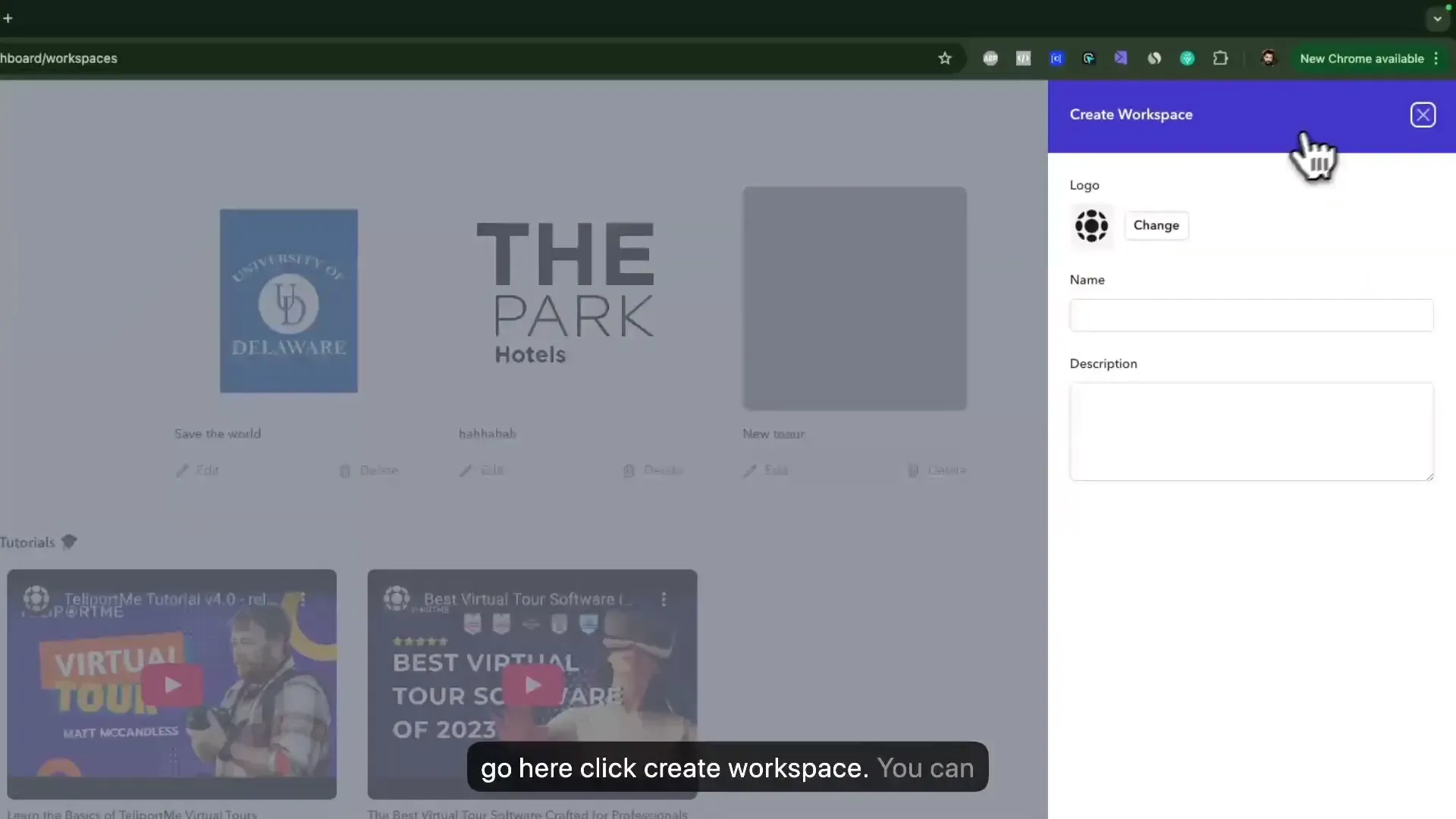
Let’s illustrate this with a use case.
Imagine a real estate agency managing multiple agents and their properties. With Workspaces, they can create a dedicated workspace for each agent, allowing team members (photographers, editor and agents) to collaborate efficiently. One member could be responsible for editing the tours, while another could manage client access, ensuring that only relevant tours are visible to specific clients. This streamlined approach not only enhances productivity but also improves client satisfaction.
It is also important for organizations to focus more and more on cyber security, thus, a marketing agency can establish separate workspaces for each client in the system and there they can manage permissions and access, ensuring complete confidentiality of the work materials. Likewise, a school can set up different workspaces for departments allowing faculty and students to collaborate effectively.
The Workspaces feature is tailored to fit your team's needs. Business includes 1 workspace and Unlimited 3; add more for $199 one-time each.
We encourage you to explore Workspaces and transform the way you manage your virtual tours.
Topics